The short version
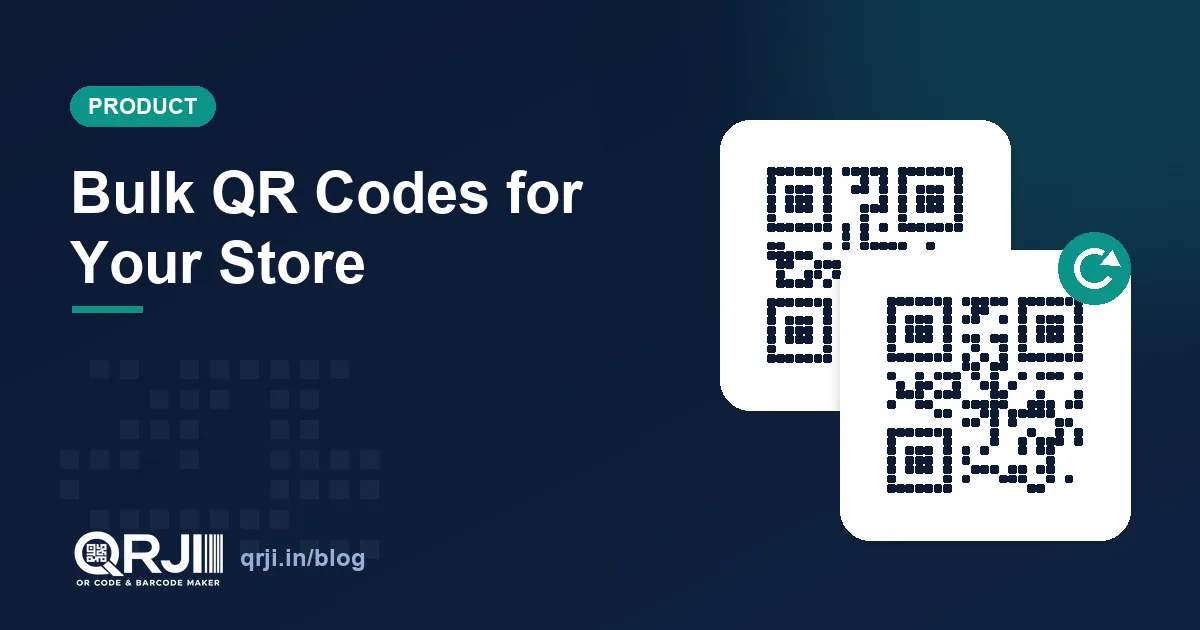
- Store import reads your Shopify or WooCommerce catalogue and creates a dynamic, trackable QR code for every product — up to 500 per import.
- You just paste your store URL (or a collection / category URL). No app install and, in the common case, no API keys.
- Every code is dynamic: it points at a short link you can edit, and it records per-product scan analytics — so you see which products people actually scan.
- Apply one design (colours, dot style, centre logo) to the whole batch, serve them on your own branded domain, and download them as a ZIP or a CSV.
- It's a Pro feature. Create a free account to try QRJI.
If you sell products, you have probably wanted a QR code on a package, a shelf label or a print ad. Making one is easy. Making hundreds — one per product, each pointing at the right page, each branded, each trackable — is the part that used to eat an afternoon. Store import does the whole catalogue at once.
What is store import?
Store import is a QRJI tool that takes your online store and turns every product into its own QR code. Paste your storefront URL, QRJI reads the catalogue, and it generates a branded, dynamic code for each product that scans straight to that product's page. The codes land in a folder in your dashboard, ready to download or print. It works with the two platforms most small and mid-size shops run on: Shopify and WooCommerce.
Why a code per product beats one code for the whole store
A single “visit our shop” QR code is fine for a poster. But it drops every scanner on your homepage, and then they have to hunt for the thing they were holding. A per-product code removes that step — scan the code on the jar, land on the jar's page, add to cart. Fewer taps, fewer drop-offs.
The bigger win is measurement. Because each code is its own dynamic link, QRJI tracks scans per product. You can see that the QR on your bestseller's packaging gets scanned forty times a week while the one on a slow mover gets two — which tells you where to spend your print budget. One code for the whole store can't tell you any of that.
How it works — no app, no keys
Most bulk-QR tools ask you to install an app in your store admin or generate API keys. Store import usually needs neither. Shopify and WooCommerce both publish their product catalogue on a public storefront endpoint that any browser can read, and QRJI reads the same one:
- Shopify exposes products at
/products.json, so pasting your store URL is enough. You can also paste a collection URL to import just that collection. - WooCommerce exposes products through its public Store API — the same one the storefront itself uses. Paste your store or a product-category URL.
QRJI detects which platform you're on, counts the products, and shows you a preview before it makes anything. A handful of large stores switch off their public product feed; if yours has, you'll get a clear message instead of a broken import.
Static or dynamic? Use dynamic — and here's why
Store import always makes dynamic codes, on purpose. A static QR bakes the product URL into the pattern: it works, but you can't change where it goes and you can't measure it. A dynamic code points at a short link you control, which gives you two things that matter for a catalogue:
- You can edit the destination without reprinting. Product URL changed, item discontinued, running a seasonal sale page — update the link and the printed code keeps working.
- You get analytics — scans by product, location, device and time — so the codes are a marketing channel you can actually read, not just a convenience.
Seven ways to use product QR codes for marketing
Once every product has a trackable code, the uses go well beyond “link to the page”:
| Where | What it does |
|---|---|
| On the packaging | Scan for how-to-use, ingredients, care instructions or a one-tap reorder — and see which products drive post-purchase scans. |
| Shelf-edge labels | In-store shoppers scan for reviews, sizes or “check online stock”, bridging your shelf and your site. |
| Print ads & flyers | A code per featured product means each ad links to the exact item — and you can measure which creative pulled scans. |
| Catalogues & lookbooks | Print a code next to each product and a paper catalogue becomes shoppable. |
| Unboxing → reviews | An insert card that scans to a review or “share your look” page turns buyers into content. |
| Retargeting | Point codes at a hosted page with a Meta or Google pixel and build remarketing audiences from people who scanned. |
| Pop-ups & markets | No card reader on hand? A product code that opens the checkout lets people buy from their own phone. |
Because you can edit any dynamic code later, the same printed code can point at a full-price page today and a festival-sale page next month — no reprint, and you'll see the scan lift right in analytics.
Design once, apply to the whole batch
The import uses the same design studio as a single QRJI code. Pick your dot style, corners, colours and a centre logo once, and every product code in the batch comes out on-brand. Each one is a normal dynamic code afterwards, so you can open any single product and fine-tune it. Pro accounts can also serve every link on a custom branded domain — so a scanner sees go.yourbrand.com instead of ours. On packaging and ads, that small detail is a real trust signal.
Big catalogue? How the import handles limits
One import creates up to 500 codes, which covers most small and mid-size stores in a single run. For a larger catalogue you have two easy options: paste a collection or category URL to do one section at a time, or run a second import for the rest. Generation happens in the background with a live progress bar, so you can close the tab and come back to a finished folder — plus a CSV manifest (product → link → scans) and a ZIP of images.
How to set it up
- Open Store import in your QRJI dashboard.
- Paste your Shopify or WooCommerce store URL — or a collection / category URL for a subset.
- Check the preview: QRJI shows the platform and the product count.
- Set your design — colours, dot style and a centre logo — applied to every code.
- Generate. Your codes appear in a new folder, ready to download as a ZIP or export as CSV.
Why this matters for retail right now
The industry is moving this way anyway. GS1, the organisation behind the barcodes already on your products, is steering retailers toward 2D barcodes (QR) at checkout under a global initiative often called “Sunrise 2027”. Shoppers and point-of-sale systems will increasingly expect a scannable code on every product, so getting a branded, trackable QR onto your catalogue now is a head start rather than a nice-to-have.
Try it
Store import is part of QRJI Pro. Create a free account, connect your store, and turn your catalogue into codes you can brand, print and measure.
Create unlimited dynamic, trackable QR codes and barcodes for just $1/month. Start free →
Frequently asked questions
Which platforms does store import support?
Shopify and WooCommerce. Paste your storefront URL, or a Shopify collection / WooCommerce category URL to import just that section.
Do I need to install an app or share API keys?
No, in the common case. Shopify and WooCommerce both publish their products on a public storefront endpoint, and QRJI reads the same one — so pasting your store URL is enough. A few stores switch that feed off; if yours has, you'll see a clear message.
Are the codes trackable?
Yes. Every code is dynamic, so you get per-product scan analytics — scans by product, location, device and time — and you can edit where any code points without reprinting.
How many products can I import at once?
Up to 500 per import. For a larger catalogue, import one collection or category at a time, or run a second import for the rest.
Can I brand the codes?
Yes. Apply your colours, dot style and a centre logo to the whole batch with the same design studio as single codes, and serve the links on your own custom domain on Pro.
What can I download?
Each code is a normal dynamic code you can download as PNG or SVG, and the whole import exports as a ZIP of images plus a CSV manifest that maps each product to its link and scan count.
Is store import free?
It's a Pro feature. The free plan includes one dynamic, trackable QR code so you can see how dynamic codes work before you upgrade.
Related articles
Dynamic vs Static QR Codes: Which One Should You Use?
They look identical, but the difference can make or break your campaign. Here's exactly when to use each, and why it matters.
QR Menus & Google Review QR Codes: Two New Tools for Local Businesses
Two new QRJI tools for local businesses: a restaurant QR menu builder with 5 designer templates, and a Google review QR code that takes customers straight to your ‘write a review’ page — with printable posters.
Create a QR Code Free — and 7 Ways to Use It for Your Business
We just launched a free, no-signup QR code generator — plus dedicated guides for restaurant menus, retail, real estate, events, business cards, Wi-Fi and UPI payments. Here's how to put them to work.
Ready to create your code?
Dynamic QR codes, barcodes, analytics and bulk tools, all for $1/month.
14-day free trial · No card required · Cancel anytime