The short version
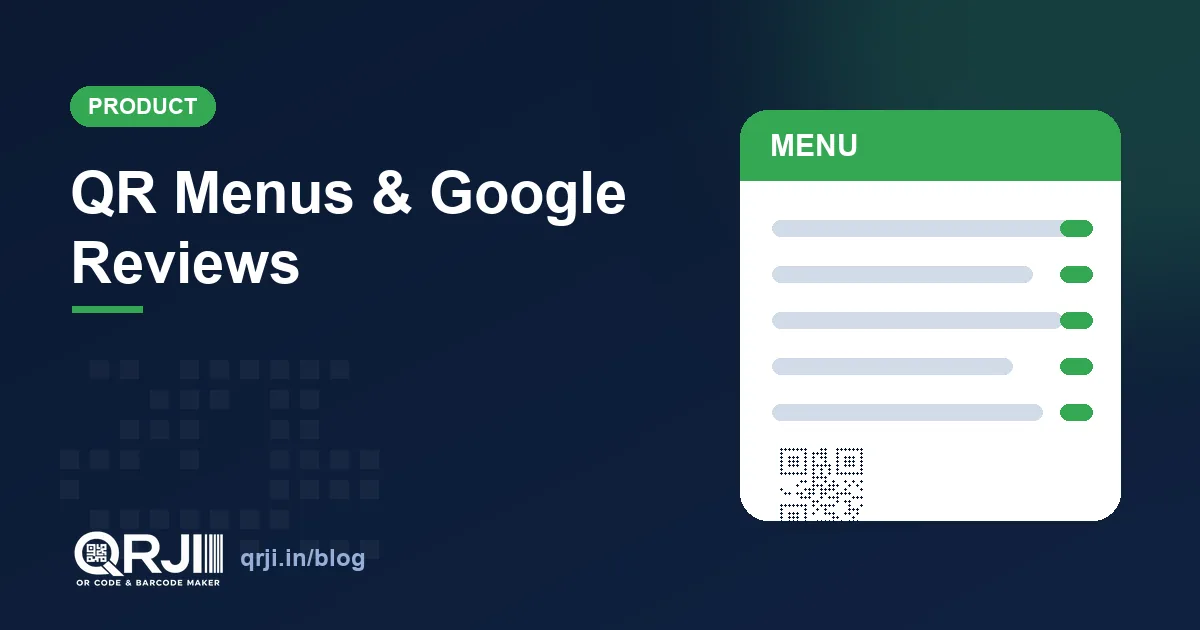
- QR code menus — build a full menu by category, dish, description and price, choose one of 5 designer templates, and get a mobile menu page diners scan at the table. Change prices anytime without reprinting.
- Google review QR codes — a code that opens your Google “write a review” screen directly, so a happy customer can leave a star rating in seconds. Each comes with a downloadable poster (the Google logo is built in; add your own).
- One catch with reviews: a Google profile or “Share” link does not open the review box — it opens your listing. You need your review link or Place ID, and we show you where to find both.
- Both are live now. Create a free QRJI account to use them.
The two questions we hear most from cafés, salons, clinics and shops are “how do I put my menu on a QR code?” and “how do I get more Google reviews?” This month we shipped a tool for each, and they are built to do one job properly rather than ten jobs badly.
QR code menus: build it, don’t type it
QRJI has had a menu QR type for a while, but it expected you to format the whole menu in a text box. That is gone. The new menu builder is structured: you add a category (Starters, Mains, Drinks), then add dishes under it with a name, an optional description and a price. Add as many as you like, drag in a second category, done.
When someone scans the code, they land on a clean, mobile-first menu page — no app to install, no PDF to pinch-and-zoom. And because the code is dynamic, you edit the menu from your dashboard and every printed code updates instantly. Change a price, mark a dish sold out, add a weekend special — the QR on the table never has to be reprinted.
You also pick how it looks. There are five templates, each tuned for a different kind of place:
| Template | Best for |
|---|---|
| Classic | Cream background, serif headings, dotted price lines — the traditional menu look. |
| Noir | Black and gold, fine-dining restaurants and bars. |
| Cafe | Warm cards and rounded type — friendly and casual. |
| Fresh | White, bold and modern, with blue accents. |
| Slate | Dark and minimal with a teal highlight. |
If you run a restaurant, our QR code menus guide walks through table tents, placement and the rest. The short version: a QR menu costs nothing to reprint, so the day you raise a price or run out of a dish, you change one field instead of a print run.
Google review QR codes: turn a scan into a star rating
Reviews are the currency of local business. Google’s own guidance is blunt about it: review count and rating factor into local search ranking, and BrightLocal’s 2024 Local Consumer Review Survey found Google is the platform people use most to judge a local business. The problem is the gap between a customer who would leave a review and one who actually does. Most people will not type your name into Maps, scroll, and hunt for the review button.
A Google review QR code closes that gap. Print it on the receipt, the counter, the table tent or the takeaway bag; the customer scans, and their phone opens the Google “Rate and review” screen with the stars ready. No searching, no friction. Ask while they are still happy and the reviews come.
QRJI generates the code and a print-ready poster for it. Pick one of five poster styles, optionally drop in your own logo, and the Google logo is already on every template so it reads as a Google review prompt at a glance. Download a high-resolution PNG or print straight to PDF, then stick it where customers pay.
The catch: a profile link will not open the review box
This trips up almost everyone, so it is worth being clear. The link behind the Google “Share” button — the share.google/… or g.page/yourname one — opens your business listing, not the review screen. To send people straight to the star-rating box you need a proper review link, which looks like g.page/r/…/review or search.google.com/local/writereview?placeid=…
There are two easy ways to get one:
- Ask-for-reviews link. In your Google Business Profile, open Get more reviews and copy the link it gives you. It opens the review form directly.
- Place ID. Look your business up in Google’s free Place ID Finder, copy the
ChIJ…ID, and paste it into QRJI — we build the review link for you.
QRJI checks your link as you type: paste a profile or share link and it warns you, paste a review link or a Place ID and it confirms the code will open the review form. So you find out before you print, not after.
How to set up each one
A QR menu:
- In QRJI, create a code and choose Menu.
- Add your categories and dishes with prices, and pick a template.
- Style the QR code itself in the design studio, save, and print. Edit the menu anytime from your dashboard.
A Google review code:
- Create a code and choose Google review.
- Paste your review link or Place ID (see above), add your business name, headline and logo.
- Pick a poster template, then download the PNG or print to PDF and display it where customers pay.
Where to put each one (and a rule worth knowing)
Placement decides whether a code actually gets scanned. For a QR menu, the spots that work are table tents, a small sticker on each table, the front window, and the counter at a quick-service or takeaway spot. Keep the printed code at least 2–3 cm wide and leave clear space around it so cameras lock on quickly.
For a review code, ask at the moment of payment: on the receipt, beside the card machine, on a small standee by the till, or on the takeaway bag. The timing matters more than the wording — a customer is most likely to leave a review in the minute right after a good experience, while they are still with you.
One rule is worth knowing before you print a thousand posters: Google does not allow you to buy, incentivise or gate reviews. You cannot offer a discount in exchange for a review, and you cannot show the QR only to customers you think will rate you well. Ask everyone, every time. The honest average is what Google rewards, and it is also what new customers actually trust — a wall of suspiciously perfect five-star reviews convinces no one.
If you are weighing this against a paper comment card or a “follow us” sticker, it is not close. A review code meets the customer on the device they already have open, on the platform that feeds your local ranking, in the two taps it takes to leave a star rating.
Why both matter more than they look
These are small features with an outsized effect on a local business. A QR menu removes a recurring cost (reprinting) and a recurring annoyance (an out-of-date menu). A review code attacks the single biggest lever in local search at the exact moment it works best — when a customer is standing in front of you, satisfied. Together they cover both halves of the local loop: make the in-person experience smoother, then turn it into the social proof that brings the next customer in.
Neither needs a designer or a developer. If you have used our free generator or read how we think about QR codes for business, this is the same idea taken one step further: the QR code is the easy part — what it does on the other side is where the value is.
Try them
Both tools are in QRJI now, on the free plan and Pro. Create a free account, make a menu and a review code, and print the poster. If you want to edit and track them over time, that is what a dynamic code is for.
About QRJI
QRJI is a QR code and barcode platform built by Deburise Solutions for businesses in India and beyond. It makes 20+ types of dynamic, trackable QR codes and 30+ barcode formats, with scan analytics, a full design studio, hosted landing pages, GST-compliant invoicing, native UPI payment codes and a free plan to start. The goal is simple: the tools a local business actually uses to get found, get paid and get reviewed — without enterprise pricing. Learn more about us or browse every feature.
Create unlimited dynamic, trackable QR codes and barcodes for just $1/month. Start free →
Frequently asked questions
How do I make a QR code menu?
In QRJI, create a code, choose Menu, then add your categories and dishes with prices and pick one of five templates. Diners scan the code to open a mobile menu page, and you can edit it anytime without reprinting.
Can I update my QR menu after printing it?
Yes. A QRJI menu code is dynamic, so you change dishes and prices from your dashboard and every printed code updates instantly. The printed pattern never changes.
How do I make a Google review QR code?
Create a code in QRJI, choose Google review, and paste your Google review link or Place ID. Add your business name and logo, pick a poster template, and download or print it. Scanning the code opens the Google review screen directly.
Why doesn’t my Google profile link open the review box?
A profile or “Share” link (share.google/… or g.page/yourname) opens your listing, not the review form. You need a review link (g.page/r/…/review) or your Place ID. QRJI warns you if you paste a profile link by mistake.
Where do I find my Google review link or Place ID?
Open Get more reviews in your Google Business Profile to copy a ready review link, or use Google’s free Place ID Finder to get your ChIJ… Place ID and paste it into QRJI — we build the review link for you.
Can I add my own logo to the review poster?
Yes. Every poster template has the Google logo built in, and you can upload your own logo to co-brand it. Download a high-resolution PNG or print straight to PDF.
Are these features free?
You can create both on the free plan. Pro adds unlimited dynamic codes, full scan analytics and every marketing feature from $1 (₹99) a month.
Related articles
QR Code Menus for Restaurants: The Complete Guide
From table tents to update-anytime menus, here's how cafés and restaurants use QR codes to save money and sell more.
Create a QR Code Free — and 7 Ways to Use It for Your Business
We just launched a free, no-signup QR code generator — plus dedicated guides for restaurant menus, retail, real estate, events, business cards, Wi-Fi and UPI payments. Here's how to put them to work.
Dynamic vs Static QR Codes: Which One Should You Use?
They look identical, but the difference can make or break your campaign. Here's exactly when to use each, and why it matters.
Ready to create your code?
Dynamic QR codes, barcodes, analytics and bulk tools, all for $1/month.
14-day free trial · No card required · Cancel anytime